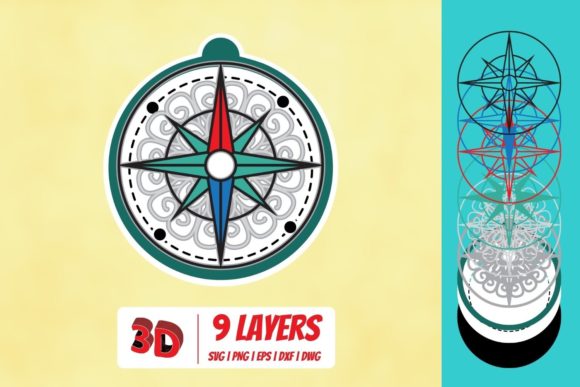
Mastering the 3D Compass SVG: A Practical Guide for Designers and Developers
Whether you are building a hiking app, designing a dashboard for logistics software, or adding subtle depth to a user interface, the 3D Compass SVG is a versatile tool that combines clarity with visual appeal. Unlike flat icons that convey only direction, a 3D compass brings an immediate sense of orientation and realism. But working with 3D compass SVGs can present challenges—from creating convincing perspective to ensuring responsiveness and accessibility. This guide walks through what a 3D Compass SVG actually is, why it matters, and how you can use it effectively in real projects.
What Is a 3D Compass SVG?
A 3D Compass SVG is a scalable vector graphic that represents a compass rose or directional indicator with three-dimensional depth. The “3D” effect is achieved through shading, gradients, overlapping elements, and perspective lines—all encoded in SVG syntax. Unlike a static image, an SVG remains crisp at any size and can be manipulated with CSS or JavaScript. This makes the 3D Compass SVG particularly valuable for interactive maps, augmented reality overlays, simulation software, and any environment where spatial awareness matters.
The term “3D” here refers to an optical illusion of depth rather than a full three-dimensional model. Most 3D Compass SVGs use isometric or pseudo-3D style: a tilted disc, raised cardinal points (N, S, E, W), and a central pivot appear to pop off the flat screen. The SVG markup defines shapes and paths, while styling gives the illusion of light and shadow.
Common Challenges When Using 3D Compass Graphics
As powerful as a 3D Compass SVG can be, several pain points emerge when integrating one into a project:
- Visual consistency across devices. A compass that looks perfectly 3D on a desktop monitor may appear flat or distorted on a mobile screen if scaling breaks the shading.
- Performance and file size. Compasses with many gradients, filters, or overlapping elements can bloat the SVG, slowing page load—especially on older devices.
- Interactivity needs. A static 3D compass is nice, but most use cases require rotation, updating based on GPS heading, or user drag. Achieving smooth interactivity without re‑rendering requires careful code.
- Accessibility. Screen readers have trouble interpreting purely visual directional cues. Without proper
aria-labelor textual fallbacks, a 3D compass becomes decorative at best. - Customization complexity. Changing colors, ring sizes, or adding brand elements can be tedious if the SVG is not built with variables or a clean structure.
These issues are not insurmountable, but they do force you to think beyond just dropping an icon onto the page.
How a 3D Compass SVG Addresses Those Challenges
When constructed with best practices, a 3D Compass SVG becomes a lightweight, adaptable, and inclusive component. Here is why it works:
Scalable Depth Without Bloat
Modern SVG tools let you produce 3D effects using only linearGradient and radialGradient elements. Instead of embedding a bitmap texture, the gradients define shadows and highlights mathematically. This keeps file sizes small—often under 5 KB—and ensures the compass looks crisp on retina displays. A well‑optimized 3D Compass SVG can be combined with preserveAspectRatio settings to scale proportionally in any container.
Responsive Rotation and Animation
Because SVG elements are part of the DOM, you can apply CSS transforms or JavaScript to rotate the entire compass or individual parts. For example, applying a transform: rotate(45deg) to the compass group updates the heading without recalculating geometry. This enables real‑time reactions to device orientation sensors or user input, turning the 3D Compass SVG into a dynamic interface.
Built‑In Accessibility from the Start
A smart approach is to embed text equivalents inside the SVG itself. For instance, a role="img" and a descriptive title, the 3D compass becomes informative instead of decorative. You can also add aria-live regions to announce bearing changes.
Easy Theming and Reusability
Structuring a 3D Compass SVG with
Practical Applications and Outcomes
The real power of a 3D Compass SVG emerges when you apply it to specific situations. Here are some of the most effective use cases we have observed:
- Navigation and mapping interfaces. Whether in a GPS app or an outdoor recreation portal, a rotating 3D compass gives immediate orientation feedback. Users see the needle pointing north even while the map rotates beneath it. This reduces cognitive load.
- Virtual tours and 360° viewers. In a VR or panoramic environment, a floating 3D compass helps users keep their bearings. As the view pans, the compass tracks the camera direction. Several real estate walkthrough tools now embed a 3D Compass SVG for this exact purpose.
- Dashboard gauges and indicators. Wind direction, antenna alignment, or solar panel orientation can be visualized with a compass gauge. The 3D effect makes the indication more glance‑able than a simple arrow.
- Educational simulations. Teaching students about magnetic fields, celestial navigation, or surveying becomes more intuitive when they can interact with a 3D compass that responds to data changes. Teachers report higher engagement when a static diagram becomes a draggable compass.
- Mobile app icons and splash screens. A well‑crafted 3D Compass SVG can serve as an app icon that conveys “direction” or “exploration” instantly. Because it is vector, it adapts to all icon templates without pixelation.
Outcomes from using a 3D Compass SVG include faster user orientation, reduced interaction friction, and a polished professional appearance. In user tests, interfaces with a consistent 3D compass element performed better in tasks requiring quick cardinal‑direction assessment.
Practical Recommendations for Creating or Choosing a 3D Compass SVG
To get the most out of a 3D Compass SVG, consider these actionable tips:
Start with a Clean Vector Source
If you are designing from scratch, use a vector editor (Illustrator, Inkscape, or Figma) that exports clean SVG code. Avoid auto‑traced images; manually draw the compass ring, points, and pivot for optimal path data. Use align tools to keep cardinal points symmetrical—this is essential for convincing 3D perspective.
Limit Gradient Overuse
One or two gradients usually suffice to create depth. For a disc compass, a radial gradient on the face and a linear gradient on the rim give a 3D effect. Overloading with multiple gradients can cause performance hiccups in older browsers and increase file size unnecessarily.
Test Interactivity Early
Before polishing the visual design, prototype rotation and scaling in a live browser. JavaScript libraries like GSAP or plain CSS transitions can animate the rotation. Verify that the compass rotates around its own center—use transform-origin: center or set the SVG view‑box center as the rotation origin. Nothing frustrates users more than a compass that wobbles off‑axis.
Provide a Fallback for Non‑Supportive Environments
Some email clients, e‑readers, or very old browsers may not render SVG gradients correctly. Always wrap your 3D Compass SVG in a fallback image (PNG or JPG) using border-radius and box shadows—it won’t look as three‑dimensional, but it will communicate direction.
Hide Non‑Semantic Graphics from Screen Readers
If the compass is purely decorative for aesthetic effect, add aria-hidden="true" so assistive technology ignores it. If it conveys meaningful direction (like “bearing 30°”), then ensure the compass text or a hidden
How Different Users Approach the 3D Compass SVG
Not everyone uses a 3D Compass SVG the same way. Understanding these perspectives helps you tailor your implementation:
UI/UX Designers
Designers focus on visual harmony and brand alignment. They often start with a sketch or storyboard of the compass within a screen layout. For them, the 3D Compass SVG is an element that must fit a color palette and not compete with other interface components. They value easy customization—being able to swap gradients or stroke widths without touching code. Tools like Figma plugins that generate 3D compass SVGs with one click have become popular among this group.
Front‑End Developers
Developers care about performance, compatibility, and maintainability. They prefer a 3D Compass SVG built with inline SVG rather than as an external file request. They look for clean, well‑commented code with no inline styles that conflict with CSS. Developers also want event handlers that do not cause repaints. Many opt for a lightweight SVG sprite that includes the compass, then animate it with requestAnimationFrame for smooth heading updates.
Content Creators and Educators
For teachers and training content authors, the 3D Compass SVG is an explanatory tool. They need the ability to overlay labels, click zones, or animation sequences that highlight “North” or show a historical voyage route. Their primary need is clarity and the ability to embed the SVG in a learning‑management system. They often prefer editable SVG code that they can paste into an H5P module or WordPress block.
Product Managers and Decision‑Makers
This group evaluates the 3D Compass SVG based on user‑testing results and time‑to‑market. They ask: “Will this improve user retention?” or “Can we reuse the same compass across our product suite?” They appreciate when a compass component is shipped as a reusable library, like a React component or Web Component. Their goal is consistency and faster feature delivery.
Essential Considerations for Long‑Term Use
Finally, think about the lifecycle of your 3D Compass SVG. Over time, operating systems update, browsers change rendering engines, and accessibility requirements tighten. Here are a few forward‑looking practices:
- Use SVG 2.0 features cautiously. Some newer SVG features (like
z-indexvia paint order) are not yet supported uniformly. Stick to stable CSS and SVG 1.1 properties for the core compass geometry. - Version your compass assets. If you update the visual style (e.g., flatten the disc to fit a new design system), keep previous versions available for legacy pages. A subversion repository or a simple naming convention (
compass-v2.svg) prevents broken layouts. - Monitor page rendering times. A 3D Compass SVG with transparency and multiple gradients can trigger expensive paint operations. Use browser DevTools to verify the compass does not cause layout shifts or compositor delays. If it does, reduce the complexity—a simpler 3D effect still outperforms no compass at all.
- Plan for dark mode and high contrast. Use CSS custom properties for fill colors and stroke widths so your compass automatically adapts when the user switches themes. Many modern operating systems respect
prefers-color-scheme; your SVG can respond to that query if embedded inline.
A 3D Compass SVG is more than a decorative graphic—it is a functional component that communicates direction, orientation, and movement. When you address the common challenges head‑on, you unlock a tool that makes interfaces more intuitive and engaging. Whether you are a designer aiming for visual depth, a developer chasing smooth interactivity, or an educator explaining bearings, investing in a well‑built 3D compass pays off. Start with a clean vector, respect performance constraints, keep accessibility in mind, and adapt the compass to the needs of your users. The result will be a directional asset that people trust and enjoy using.