3D Festive Mandala: Avoiding Common Pitfalls for Stunning Results
In recent years, the 3D festive mandala has become a go-to visual element for designers, content creators, and small business owners looking to add an intricate, celebratory touch to their projects. Whether you are crafting social media graphics, product packaging, or event backdrops, a well-executed mandala can elevate your work. However, many users jump in without fully understanding the technical and creative factors that separate a polished result from a messy, unusable file. The good news is that with a little foresight, you can sidestep the most common mistakes and produce work that truly shines.
What Exactly Is a 3D Festive Mandala?
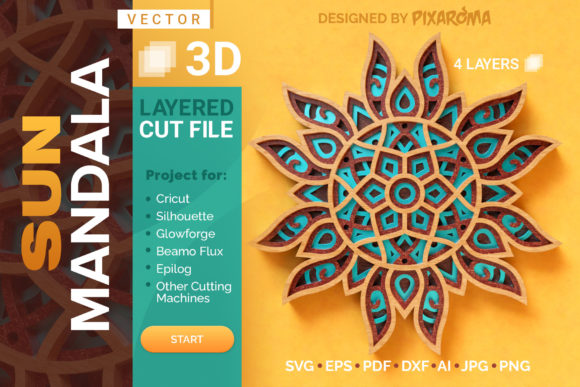
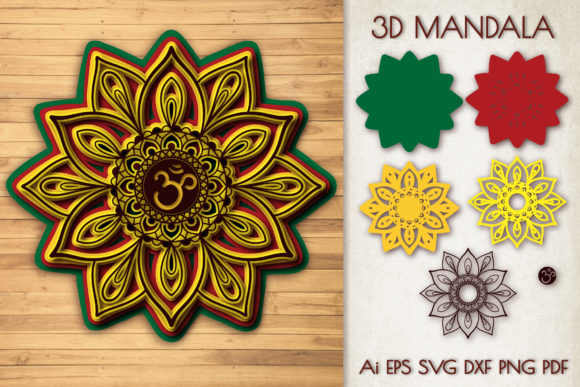
A 3D festive mandala is a three-dimensional rendering of a symmetrical, often circular pattern inspired by traditional art. Unlike flat vector designs, these models include depth, lighting data, and sometimes animation. They are used across media – from video overlays and website hero sections to physical 3D-printed ornaments. The appeal lies in their ability to convey both complexity and harmony, but that same complexity can cause headaches if you don’t approach them thoughtfully.
Mistake 1: Choosing the Wrong Level of Geometry
Perhaps the most frequent oversight is picking a mandala model that is either too detailed or too simplistic for the intended use. Many beginners download high-polygon files thinking “more detail is always better.” In reality, a model with hundreds of thousands of polygons can crash your software, stall renders, and bloat file sizes.
How it affects results: Slow performance, long export times, and incompatibility with web or mobile platforms. A 500,000-polygon mandala might look stunning in a still render but will freeze your real-time engine or take minutes to load on a product page.
Practical advice: Always check the polygon count before downloading. If you need a mandala for a website hero banner, aim for under 50,000 polygons with baked normal maps to retain detail. For printed materials or high-end video, you can go higher, but still consider using a decimation tool to remove unnecessary geometry. Example: a jewelry brand wanted a mandala for animated product displays. They started with a 1.2 million-poly model that choked their editing software. Switching to a 40,000-poly version with a high-res texture map cut render times by 90% without visible quality loss.
Mistake 2: Ignoring Color and Texture Readiness
A 3D festive mandala’s beauty often comes from its vibrant, layered colors. Yet many users fail to check whether the model has proper UV mapping or if the textures are included and appropriately sized. Opening a file to find missing texture links or distorted patterns is a common frustration.
How it affects results: You end up with a flat gray object that requires hours of texture rework, or a pattern that stretches awkwardly across surfaces, ruining the symmetry.
Practical advice: Before committing to a file, examine its UV map in the preview if possible. Look for models that offer bundled texture maps in resolutions of at least 2K for print or 1K for web. If you are comfortable with procedural materials, you can generate your own patterns, but that takes time and expertise. Better approach: choose a model from a seller who includes clear screenshots of the textured version and lists the exact texture formats (PNG, TIFF, etc.). For a recent holiday campaign, a freelancer bought a mandala that only had a single low-res JPEG. The client wanted a zoom-in print, and the pixelation was disastrous. A better choice would have been a model offering 4K tileable textures.
Mistake 3: Misjudging Scale and Context
Another subtle but costly error is failing to consider how the mandala fits within your scene. A mandala designed to be a massive ceiling medallion looks cluttered when used as a small emblem on a business card. Conversely, a tiny pattern scaled up becomes blurry or reveals polygon edges.
How it affects results: The design loses its intended visual impact, and you may have to reshape or rebuild the mandala to fit your dimensions.
Practical advice: Always test the mandala inside a mockup or at the actual dimensions you intend to use. Most 3D software allows you to drop in a simple silhouette of your final canvas. If the model’s diameter is 10 meters when you need 10 centimeters, adjust scale before adding materials. Example: an event planner used a 3D festive mandala as a backdrop for a virtual stage. The original file was meant for a small physical token. Scaled up in the virtual space, the details looked jagged. They had to source a higher-resolution model designed for large environments.
Mistake 4: Assuming One File Format Fits All
Users often grab the first file format they see – OBJ, FBX, STL, GLB – without checking compatibility with their pipeline. This leads to import errors, missing animations, or unreadable geometry.
How it affects results: You waste time troubleshooting imports, sometimes needing converters that degrade quality. You might even lose the festive color information if the format doesn’t support textures properly.
Practical advice: Know your software’s strengths. For Blender or Maya, FBX with embedded textures is usually reliable. For web use (Three.js, Babylon.js), GLB is ideal. For 3D printing, STL works, but you must confirm the model is watertight. Always read the seller’s file format list and test with the free preview if available. A marketer needed a mandala for an augmented reality filter; they downloaded an OBJ without texture support and spent hours redoing UVs. They would have saved time by picking a GLB with PBR materials pre-applied.
Mistake 5: Overlooking Lighting and Post-Processing
Even a gorgeous 3D festive mandala can look flat or muddy without proper lighting. Some users export directly from the download and use it as-is, ignoring the need to set up scene lighting or apply render passes.
How it affects results: The mandala lacks depth, shadows look unnatural, and the festive feel is dulled. This is especially problematic for product photography or video intros where lighting sets the mood.
Practical advice: At minimum, use a three-point lighting setup – a key light, fill light, and rim light. Enable shadows and ambient occlusion. If your software supports it, use HDRI environments to give the mandala realistic reflections. For quick results, many mandala packs come with a lighting preset; use it as a starting point. A hobbyist creating animated looping videos for social media found that adding a soft backlight made the mandala’s inner cutouts glow, instantly making it more festive. Without that, it looked like a static gray shape.
Mistake 6: Neglecting Licensing and Usage Rights
This is a common trap for entrepreneurs and small business owners. Free or very cheap 3D festive mandalas often come with restrictive licenses – personal use only, no commercial resale, no derivatives. Using them in paid products can lead to legal issues.
How it affects results: You may be forced to take down your work, pay fines, or redo the entire project. Your reputation can suffer if you’re caught using unlicensed assets.
Practical advice: Always read the license file. Look for clear statements about commercial use, modification, and redistribution. Purchase from established marketplaces that verify licenses. Keep a copy of the license in your project files. A small business owner selling party printables used a mandala with a “no commercial use” clause; they had to scramble to replace it after a competitor flagged them. They now only buy from sellers who explicitly allow commercial use in simple, plain language.
Mistake 7: Failing to Optimize for the Final Medium
Many creators produce one version of the mandala and reuse it everywhere – on the web, in print, in animation. But each medium demands different optimization. A high-poly, 8K-texture file suitable for a billboard render will completely overwhelm a mobile website.
How it affects results: Slow load times, excessive bandwidth use, poor user experience, or print files that are too large to share.
Practical advice: Export multiple versions. For web: reduce polygon count to under 30,000, compress textures to 1K or 2K JPEG, use GLTF/GLB format with draco compression. For print: keep high poly but use lossless PNG or TIFF textures, and set scale in real-world units. For animation: consider lower poly counts with baked normals to keep render times reasonable. A digital artist preparing a mandala for a music video had a 2GB file; their editor could not handle it. They created a 150MB version using decimated geometry and compressed textures, and the final video looked identical when exported.
Mistake 8: Not Testing Software-Specific Features
Some 3D festive mandalas include advanced features like particle systems, modifiers, or custom scripts that only work in certain software versions. Users assume “it will just work” and are disappointed when the file opens with errors.
How it affects results: You lose intended effects, waste time troubleshooting, and sometimes cannot even open the file.
Practical advice: Before buying, confirm the model’s software version and required plugins. Check reviews from users on the same platform. If you use Blender, look for files that explicitly say “Blender 3.0 or above.” If you use C4D, avoid files that depend on Maya-specific modifiers. A motion designer bought a mandala pack that used Cinema 4D’s MoGraph cloner; they used After Effects for most of their work. The mandala wasn’t compatible, and they couldn’t use the animation presets. They now read the “compatible with” section carefully.
What to Check Before You Commit
To avoid these pitfalls, run through a simple checklist before you download or purchase any 3D festive mandala:
- Source quality: Does the preview show realistic renders or just mockups? Can you see the wireframe?
- Scale: What is the unit size? Is it suitable for your scene?
- File format: Does it match your software and pipeline?
- Polygon count: Is it appropriate for your hardware and output?
- Texture maps: Are they included, high-res, and properly UV-mapped?
- License: Does it cover your intended commercial or personal use?
- Compatibility: Are there any specific software version requirements or plugins?
Taking a few extra minutes to verify these points will save you hours of rework and keep your projects on track.
The 3D festive mandala is a wonderful tool for adding elegance and celebration to your creative work. By choosing your models carefully, testing them in context, and optimizing for your final medium, you can avoid the common frustrations that derail many projects. A little preparation goes a long way in ensuring that your mandala remains a source of beauty – not a technical headache. Approach it with the same care you give to your overall design, and you’ll consistently produce results that impress both you and your audience.